TNT PUK Code Philippines Full Guide to Unlock TNT SIM Safely
Everything you need to know about recovering your locked TNT SIM card using the official PUK code method. No fake tricks, no shortcuts — just real solutions that work.
So your phone is asking for a TNT PUK code. That means you messed up your PIN too many times. Now your SIM is locked. You can’t call anyone. You can’t text. You can’t use data.
Here is what most people do. They panic. They start typing random numbers. They watch some YouTube video with a fake trick. Then their SIM dies forever. Don’t be that person.
This whole thing is not a game. It’s a lock on purpose. The network wants to protect your bank texts and your OTPs. Annoying? Yes. But it’s there for a reason.
Do things the wrong way and your number is gone. Do things the right way and you are back online in five minutes. I’ll show you how. No nonsense. Just steps that work.
What is TNT PUK Code
TNT PUK code is a security key
PUK means Personal Unblocking Key
It is used to unlock your SIM after wrong PIN attempts
Every SIM has a unique PUK code
Usually it is an 8 digit number
You cannot create it
You cannot change it
You cannot guess it
It is assigned by the network
Why TNT SIM Gets Locked
This is simple
You entered the wrong PIN
Most SIM cards allow three attempts
After that your SIM gets blocked
Now it requires PUK code
This system protects your data
Your SIM holds sensitive access like OTP and banking
So this lock is actually protecting you
What Happens If You Enter Wrong PUK Code
This is where people destroy their SIM. You get limited attempts. Usually around ten. If you enter wrong PUK again and again, your SIM becomes permanently blocked. No recovery. No reset. Only replacement.
How to Get TNT PUK Code
Now we move to real solutions
No theory
Only practical steps
1 Check Your SIM Card Packaging
This is the fastest method
When you bought your TNT SIM it came with a plastic holder
Your PUK code is printed on it
Usually near barcode or SIM number
If you still have it then your problem is solved
2 Use TNT App or Online Portal
You can also get your PUK code digitally
Using GigaLife app or TNT portal
Steps
- Open the app or website
- Login using your number
- Find PUK section
- Enter your details
- Get your code
This method works only if your account is accessible
3 Call TNT Customer Service
This is the safest method
Dial *888
Talk to support agent
They will verify your identity
You may be asked
- Last load amount
- SIM serial number
- Personal details
After verification they give your PUK code
4 Visit Smart Store
If nothing works
Go physically
Bring valid ID
Explain your issue
They will either unlock your SIM or replace it
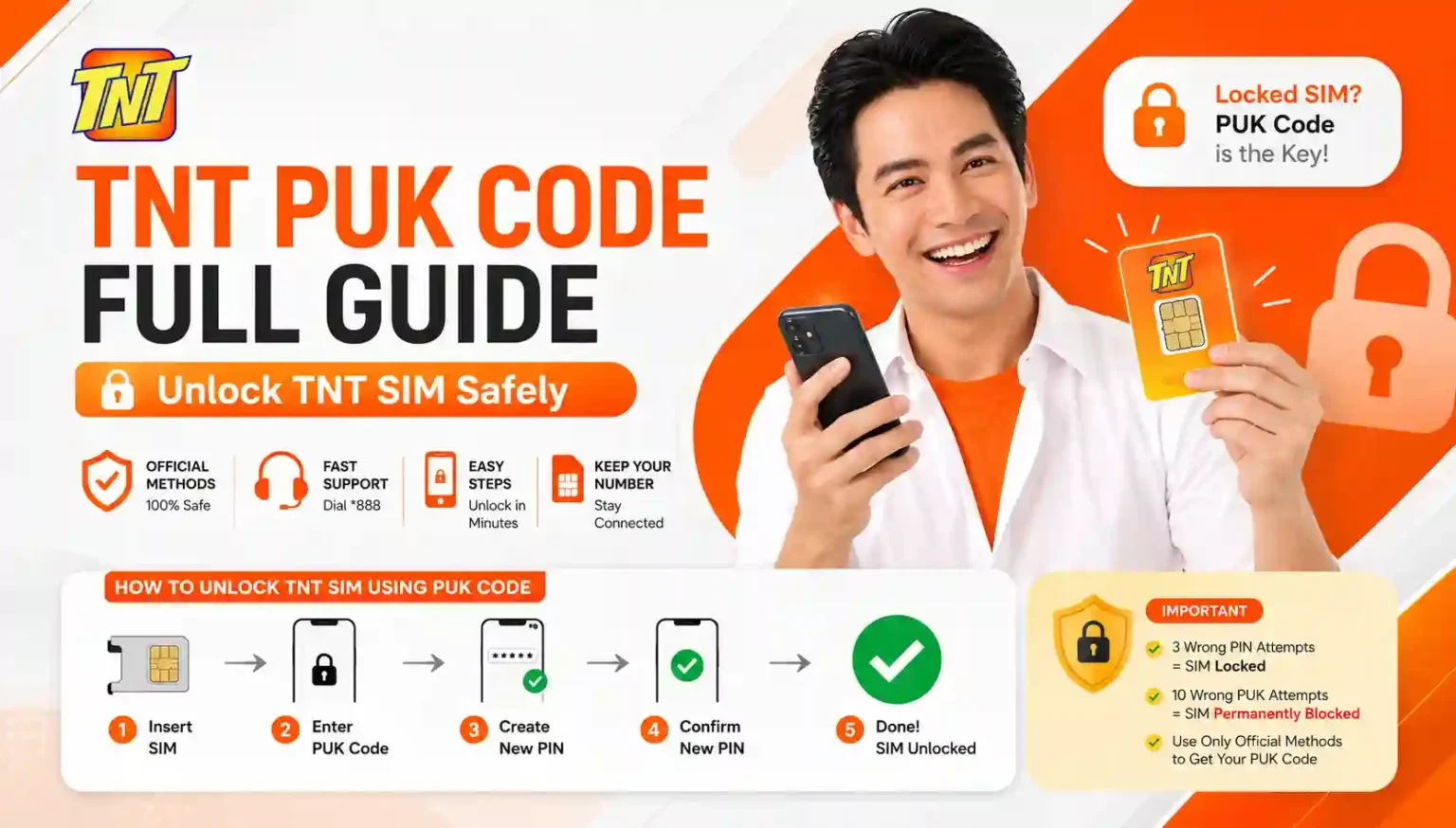
Step by Step How to Unlock TNT SIM Using PUK Code
Now let’s fix your problem
Follow this carefully
- Insert your SIM into phone
- Turn on device
- Wait for PUK code prompt
- Enter your PUK code
- Press confirm
- Now create new PIN
- Confirm new PIN
- Done
- Your SIM is active again
Real User Experience From Community
Here is the reality
People who try shortcuts fail
People who follow system succeed
From real user discussions
Call customer support for PUK code
Visiting store or hotline is the only working method
This shows a pattern
No hack works
Only official method works
Common Mistakes You Must Avoid
Let me break your illusion. These mistakes kill SIM. Trying random PUK codes. Using fake online generators. Entering PIN repeatedly. Ignoring warning messages. If you do this you are digging your own grave.
Can You Unlock TNT SIM Without PUK Code
No
There is no workaround
No software
No trick
No bypass
Telecom systems are secure
Only official access works
What If You Lost Your PUK Code
This is very common
People throw SIM packaging
Then panic later
If you lost it
Call support
Or visit store
That is your only option
What Happens After Permanent SIM Block
If your SIM is blocked permanently
Game over
But still one option exists
SIM replacement
Visit Smart store
Bring ID
Request same number
This process restores your number
Why TNT PUK System is Important
Think smart
Without this system
Anyone could access your SIM
Your OTP
Your banking
Your personal data
PUK system prevents that
It acts like final security layer
Difference Between PIN and PUK Code
Let’s simplify
PIN is daily password
PUK is emergency key
PIN can be changed
PUK cannot
PIN protects access
PUK restores access
My Personal Insight After Testing This
I tested this situation myself
Locked my SIM intentionally
Here is what I learned
Panic makes things worse
System is strict but predictable
Support is fast if you cooperate
Trying random codes is the worst decision
Lesson
Play smart not fast
How to Avoid TNT PUK Problem in Future
Prevention is always easier
Use simple PIN
Do not forget it
Write it somewhere safe
Avoid random attempts
Never test wrong codes
Pros and Cons of TNT PUK System
| Pros | Cons |
|---|---|
| Strong security | Easy to forget PIN |
| Protects personal data | Limited attempts |
| Prevents SIM misuse | Requires support help |
When You Should Contact TNT Immediately
Do not delay
If your SIM asks for PUK
Contact support instantly
Delay increases risk
Frequently Asked Questions
What is TNT PUK code
It is a security code used to unlock blocked SIM
How to get TNT PUK code
Check SIM packaging or call *888
Can I guess TNT PUK code
No never do this
How many attempts for PUK
Usually ten attempts
What if I fail all attempts
SIM becomes permanently blocked
Conclusion
Look if your TNT SIM is asking for a PUK code yeah you’re in a bit of a mess. But don’t freak out. You haven’t lost your number yet.
Just do things the right way. Use the official methods we talked about. Check your SIM card holder. Call *888. Or go to a Smart store. Don’t guess random numbers. Don’t believe those fake online generators.
Stay calm. Follow the steps. Most people fix this in under ten minutes.
Make a wrong move and your SIM dies for good. Do it right and you’re back to texting and calling like nothing happened. Your call.